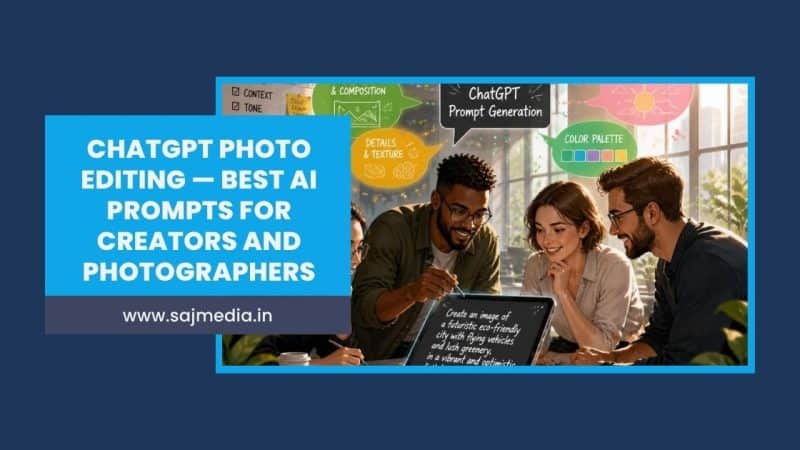
ChatGPT photo editing has changed what is possible for creators working without a professional retoucher.
Tasks that once required Photoshop expertise and hours of manual work — replacing backgrounds, cleaning up product shots, retouching portraits, reformatting images for different platforms — now take under two minutes with the right prompt. According to research by eWeek, creators using ChatGPT Images 2.0 for photo editing report cutting their post-production time by 60% to 80% on standard editing tasks.
This guide covers exactly how ChatGPT photo editing works, the five-part prompt formula that produces consistent results, and a full library of copy-paste prompts organized by use case — for portraits, product photography, social media content, and creative transformations.
How ChatGPT Photo Editing Works
ChatGPT Images 2.0 accepts uploaded photos and applies edits based on natural language instructions. You upload an image, describe what you want changed and what must stay the same, and ChatGPT generates the edited version.
The key distinction from traditional AI image generators is that ChatGPT photo editing works on your existing images rather than generating new ones from scratch. You are editing reality — not creating fiction. This makes it practical for professional creator workflows where brand consistency, recognizable subjects, and authentic visual content matter.
Access is available through the ChatGPT web interface on desktop and through the iOS and Android mobile apps. Image editing capabilities are available on the free tier with usage limits and without restriction on ChatGPT Plus at $20 per month. The Plus plan provides priority processing and higher monthly usage limits — both relevant for creators editing images daily.
Understanding ChatGPT photo editing fits naturally into a broader AI content creation workflow — alongside AI writing tools for captions and scripts and AI video generators for repurposing visual content across platforms.
The Five-Part Prompt Formula
Generic ChatGPT photo editing prompts produce inconsistent results. The most reliable formula specifies five elements in every prompt. Research from multiple creator workflow guides identifies this structure as the single biggest factor in edit quality and consistency.
Part 1 — Source context. Describe what the photo is. “In this portrait of one person,” “in this product photo of a white bottle,” “in this landscape shot.”
Part 2 — Exact change. State specifically what to change. “Replace the background with a plain white studio wall,” “remove the shadow under the product,” “add a cinematic orange-and-teal color grade.”
Part 3 — Protected invariants. Tell ChatGPT what must not change. This is the most important and most commonly skipped part. “Keep the face, hairstyle, expression, and skin tone identical,” “preserve the product label and logo exactly,” “maintain the original lighting direction.”
Part 4 — Visual treatment. Describe the look and mood. “Match the existing soft window light,” “use golden hour warm tones,” “maintain natural skin texture and avoid plastic-looking skin.”
Part 5 — Output constraint. Specify the format if needed. “Produce a 4:5 vertical crop for Instagram,” “output a 16:9 horizontal composition for YouTube thumbnail,” “9:16 vertical for Reels.”
A complete prompt using this formula: “In this portrait of one person seated indoors, replace the background with a plain warm-gray studio wall. Keep the face, hairstyle, expression, clothing, and pose unchanged. Match the existing front-left light and preserve natural skin texture. Produce a vertical 4:5 crop for Instagram.”
This level of specificity is what separates professional-grade ChatGPT photo editing from the generic results most creators produce when they type “make this look better.”
ChatGPT Photo Editing Prompts — By Use Case
Portrait Retouching Prompts
Professional headshot background replacement:
“In this portrait, replace the background with a clean neutral gray studio wall. Keep the face, hair, expression, and clothing completely unchanged. Match the existing lighting direction — soft light from the front left. Maintain natural skin texture throughout. Produce a 4:5 vertical crop.”
LinkedIn-ready professional portrait:
“Transform this casual photo into a professional LinkedIn portrait. Replace the background with a soft neutral gradient. Keep the face, expression, and identity identical. Adjust the clothing to appear smart-casual professional — plain shirt or blazer — while keeping the pose and framing the same. Natural studio lighting, sharp focus on the face, 1:1 square crop.”
Natural skin retouching without the plastic look:
“Retouch the skin in this portrait for social media. Reduce blemishes and uneven tone while preserving all natural skin texture, pores, and realistic facial details. Do not smooth the skin excessively or create an artificial polished appearance. Keep the eyes, hair, and expression completely unchanged. The result should look like a slightly better version of the original photo — not an AI-generated face.”
Dramatic portrait for social media:
“Convert this portrait into a cinematic dramatic headshot. Keep the facial features, expression, and identity identical. Add moody high-contrast lighting with a single strong light source from the upper right. Deep shadows on one side of the face. Dark desaturated background. Film noir aesthetic. 4:5 vertical crop for Instagram.”
Product Photography Prompts
Product photography is one of the highest-value ChatGPT photo editing applications for creators who shoot products for clients or their own e-commerce. Clean, consistent product images that previously required a studio setup can now be generated from a simple flat-lay shot.
Pure white e-commerce background:
“In this product photo, replace the background with a clean pure white (#ffffff) studio background. Remove all shadows except a natural soft ground shadow directly beneath the product. Keep the product itself — including label text, logo, colors, and packaging details — completely unchanged. Output a 1:1 square crop for e-commerce listings.”
Lifestyle context placement:
“Place this product on a wooden kitchen counter next to a white coffee mug and soft morning light coming from a window on the left. Keep the product label and packaging exactly as in the original — same text, same colors, same position. The background should feel like a real lifestyle kitchen environment rather than a digital composite. 4:5 vertical crop.”
Product shadow and reflection cleanup:
“Remove the uneven shadows and dust marks from the surface beneath this product. Preserve the product itself exactly — do not change the label, colors, texture, or shape in any way. Replace the surface with a clean matte white tabletop. Keep a natural soft shadow directly under the product.”
Multiple angle composite for product listings:
According to independent creator testing, ChatGPT photo editing handles product cleanup tasks with significantly higher accuracy when the prompt explicitly names what to preserve. Always include the label text, logo position, and color as protected invariants.
Background Replacement Prompts
Background replacement is the most widely used ChatGPT photo editing function among creators. It transforms location-limited shots into versatile content suitable for multiple platforms and use cases.
Studio background from any location:
“Replace the background in this photo with a clean professional photography studio backdrop. Color: soft warm gray. Keep the subject — face, clothing, pose, and expression — completely unchanged. Match the existing natural lighting on the subject. Do not add artificial light effects or change the subject’s appearance in any way.”
Outdoor lifestyle background:
“Replace the current background with a natural outdoor environment — a bright park on a sunny afternoon, green trees softly blurred in the background, warm afternoon light. Keep the subject and foreground elements exactly as they appear. The lighting on the subject should remain consistent with the new outdoor environment.”
Seasonal content creation:
“Replace the background in this image with a warm autumn setting — fallen orange and red leaves on the ground, soft golden hour light filtering through bare trees. Keep the subject entirely unchanged. The background light should feel consistent with the late afternoon golden hour. 4:5 vertical crop for Instagram feed.”
This background replacement workflow connects directly to the social media content strategy principle of creating seasonal and platform-specific content variations from a single shoot — without reshooting.
Social Media Content Prompts
Instagram Reels cover image:
“Create a vertical 9:16 thumbnail image from this portrait. Clean it up for use as an Instagram Reels cover — enhance contrast slightly, sharpen the eyes, ensure the face is clearly visible in the upper third of the frame. Keep all facial features identical. Add a very subtle warm color grade. Leave enough space in the lower third for a text overlay.”
YouTube thumbnail optimization:
“Optimize this image for a YouTube thumbnail. Convert to 16:9 horizontal. The subject should occupy the left two-thirds of the frame. Increase the contrast between the subject and background. Slightly enhance the brightness of the face. Keep all facial features, expression, and clothing identical. Background can be a clean single-color or gradient to make the subject stand out clearly.”
Pinterest-ready lifestyle image:
“Convert this photo into a Pinterest-optimized lifestyle image. Crop to 2:3 vertical ratio. Apply a clean, bright lifestyle aesthetic — slightly warmer tones, enhanced natural light feel, clean uncluttered composition. Keep the subject identical. Add a soft white border on the left side with space for a text overlay.”
Platform-specific aspect ratio batch:
When creating content for multiple platforms from a single shoot, use this approach: generate the base edited image first, then create separate crops using specific aspect ratio instructions for each platform — 1:1 for Instagram feed, 4:5 for Instagram portrait, 9:16 for Stories and Reels, 16:9 for YouTube, 2:3 for Pinterest.
Creative Transformation Prompts
Creative transformations are the highest-engagement category for social media — they produce content that audiences actively save and share. These prompts work for viral creative content but also for creative marketing campaigns.
Cinematic movie still:
“Transform this photo into a cinematic movie still. Keep the subject’s face, expression, and identity identical. Add dramatic directional lighting — strong warm light from the right side, cool shadows on the left. Apply a subtle cinematic color grade — slightly desaturated mid-tones, warm highlights, cool shadows. Film grain texture. 16:9 horizontal composition.”
Professional editorial portrait:
“Convert this photo into a high-fashion editorial portrait. Keep the face and identity exactly the same. Enhance the contrast and clarity. Apply a clean, bold editorial aesthetic — strong shadows, vivid but natural colors, sharp details. Background should be a clean single color that contrasts with the subject’s clothing. 4:5 vertical crop.”
Vintage film aesthetic:
“Apply a genuine vintage film aesthetic to this photo. Do not add obvious modern filter effects. Instead: subtle 35mm film grain, slightly faded shadow areas, warm highlights, slight color shift toward yellow-green in midtones, soft natural vignette at edges. Keep all facial features, expression, and clothing completely unchanged. The result should look like it was genuinely shot on 35mm film.”
3D character transformation:
“Convert the person in this photo into a 3D animated character in the style of Pixar — smooth polished rendering, larger expressive eyes, soft subsurface scattering on skin, slightly exaggerated proportions while maintaining recognizable identity. The character should be in the same pose as the original photo. Clean studio lighting. Transparent or simple gradient background.”
Getting Consistent Results — What Most Creators Miss
Always specify what NOT to change. The most common ChatGPT photo editing failure is the AI changing elements you wanted to keep — particularly faces, product labels, and composition. Every prompt should include an explicit “keep X unchanged” clause.
Follow up rather than start over. When the first result is 80% correct, use a follow-up instruction to fix the specific issue rather than rewriting the entire prompt. “Keep everything from the previous edit exactly the same. Only adjust the background to be slightly warmer in tone.” This iterative approach produces significantly better results than repeated fresh prompts.
State format requirements upfront. Specifying the output format — 4:5 for Instagram, 9:16 for Reels — at the end of the prompt ensures the generated image is immediately usable rather than needing crop adjustment.
Use high-quality source images. ChatGPT photo editing quality scales with source image quality. Blurry, poorly lit, or heavily compressed images produce lower-quality edits. The AI can only work with the visual information available in the original file.
The same principle that makes AI writing tools most effective — better input produces better output — applies directly to ChatGPT photo editing. Detailed, specific prompts consistently outperform vague ones regardless of the task.
Commercial Use and Privacy Considerations
Commercial rights: Images generated using ChatGPT are generally usable for commercial purposes under OpenAI’s terms, but verify the current OpenAI usage policies before using AI-edited images in paid campaigns or client deliverables. Terms can change, and commercial projects warrant direct verification.
Privacy when uploading photos: When you upload images to ChatGPT, they are processed as user content by OpenAI. For personal photos, review your account’s data controls settings — specifically the “Improve the model for everyone” toggle — before uploading images you want to keep private.
Client work: Do not upload confidential client images or photos containing sensitive personal information without explicit permission. For agency and freelance work, confirm your client agreement covers AI tool usage in the workflow.
Transparency with audiences: Disclose AI editing in contexts where your audience would reasonably expect to know — particularly for news, journalism, or documentary contexts. For creative and commercial content, standard disclosure practices apply.
Using AI tools effectively — including for photo editing — is one of the practical skills the Claude AI uses guide covers alongside writing, research, and content strategy applications. The highest-earning creators in 2026 treat AI tools as professional production tools rather than novelties.
FAQ
ChatGPT photo editing uses ChatGPT’s image capabilities to modify uploaded photos based on natural language instructions. You describe what to change, what to preserve, and what style to apply — and ChatGPT generates the edited version. It handles background replacement, portrait retouching, product photography cleanup, creative style transfers, and platform-specific formatting.
Use the five-part formula: source context, exact change, protected invariants, visual treatment, and output format. Always specify what must not change alongside what should change. Follow up with correction prompts rather than starting over when results are close but not perfect.
For common creator tasks — background replacement, basic retouching, product cleanup, and creative style transfers — ChatGPT photo editing produces professional-quality results significantly faster than manual Photoshop work. For complex compositing, precise masking, and technical color work, Photoshop remains more capable. Most professional creators use both.
The free ChatGPT tier includes image editing capabilities with usage limits. ChatGPT Plus at $20 per month provides higher monthly limits and priority processing — practical for creators editing images daily.
Usage limits vary by plan and are updated periodically by OpenAI. The free tier has lower daily limits. ChatGPT Plus provides significantly higher limits suitable for regular creator workflows. Check the current limits directly on the ChatGPT platform, as these figures change with model updates.
Yes, with appropriate care. Verify current OpenAI commercial terms before using AI-edited images in paid deliverables. Do not upload confidential client images without permission. Always review edited images carefully before delivering to clients — AI edits occasionally introduce subtle changes to protected elements that require correction.
Conclusion
ChatGPT photo editing is now a practical production tool for creators — not a novelty feature. The right prompt structure produces consistent, professional-quality results that replace hours of manual retouching for the most common editing tasks creators face daily.
Start with the five-part formula. Apply it to one use case that currently costs you the most time — background replacement, product cleanup, or portrait retouching. Run three or four edits using the prompts above and refine based on what the results tell you about your specific workflow.
The best AI video generators and AI writing tools have already changed how professional creators produce content at scale. ChatGPT photo editing closes the remaining gap in the visual production workflow — making professional-quality image editing accessible without requiring professional editing skills.


Leave a Comment
Your email address will not be published. Required fields are marked *