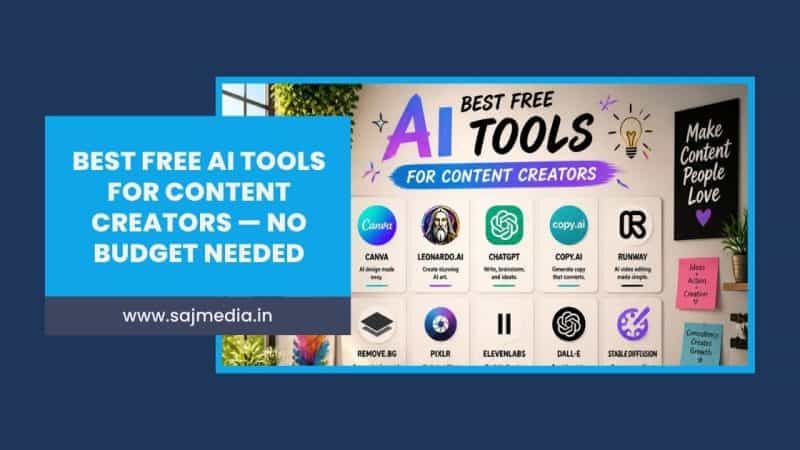
The best free AI tools in 2026 are genuinely powerful. This is not 2022 where free meant unusable.
Today’s free tiers from ChatGPT, Claude, Canva, CapCut, and a dozen other platforms give content creators real production capability without spending a dollar. The question is no longer whether free AI tools are good enough. It is which ones are worth your time and which ones waste it with false promises.
This guide covers the best free AI tools for content creators — tested by category, with honest limits on what each free tier actually delivers.
Why Free AI Tools Have Gotten So Good
The economics of AI shifted in 2026. Competition between platforms has driven free tier quality to a level that was paid-only just two years ago. According to research from DemandSage, 82% of businesses now use AI in some form — and the explosion in adoption means platforms need generous free tiers to acquire users at scale.
For creators, this means the free AI tools available today can handle writing drafts, generating images, editing videos, designing graphics, and scheduling posts — all without a subscription. The key is understanding what each tool does best and where the free tier ends.
Best Free AI Tools by Category
Writing and Content Creation
ChatGPT (Free)
The most widely used AI writing tool in the world. ChatGPT’s free tier provides access to GPT-4o mini with a daily usage limit. For content creators, it handles blog post drafts, video scripts, captions, email copy, and content ideation reliably within those limits.
The free tier is genuinely sufficient for creators who use AI writing tools a few times per week. Daily heavy users will hit the limit. For consistent daily use, ChatGPT Plus at $20 per month removes all practical restrictions.
Claude (Free)
Claude’s free tier provides access to Claude Sonnet — arguably the strongest long-form writing model available. The free tier handles entire blog posts, research summaries, video scripts, and content strategy documents within daily usage limits.
For creators focused on written content quality over volume, Claude’s free tier consistently outperforms ChatGPT’s free offering on nuanced, long-form work. As detailed in the Claude AI uses guide, the practical workflows that save creators the most time are all accessible on the free plan.
Grammarly (Free)
Grammarly’s free browser extension checks grammar, spelling, and basic clarity in real time — inside WordPress, Google Docs, Gmail, and every other web-based editor. The free tier covers the corrections that matter most. Premium upgrades add tone suggestions and full rewrites, which are genuinely useful but not essential for most creators.
Image Generation
Canva AI (Free)
Canva’s free plan includes AI image generation, background removal, and the Magic Resize tool that adapts any design to different platform dimensions in one click. The free tier limits AI generations to a monthly allowance but provides more than enough for regular social media content creation.
For creators who need quick visual content — thumbnails, social graphics, carousel slides, and story templates — Canva’s free tier covers the majority of daily design needs without requiring design skills.
Leonardo AI (Free)
Leonardo AI provides daily free credits for image generation using multiple AI models. The output quality is consistently strong for creators who need custom visuals — product mockups, illustration-style thumbnails, and concept art.
The free tier includes a meaningful daily credit allocation. Quality rivals paid tools for most creator use cases.
Adobe Firefly (Free)
Adobe Firefly offers genuinely commercially safe AI image generation — all training data is licensed, which matters for creators using images in paid client work or brand content. The free tier includes monthly generative credits.
Video Editing and Creation
CapCut (Free)
CapCut is the most capable free video editing tool available to mobile-first creators. Its AI features include automatic captions, background removal, AI-generated B-roll, text-to-video, and voice enhancement. All core features are free with minimal restriction.
For short-form content creators producing TikTok, Instagram Reels, and YouTube Shorts, CapCut’s free tier covers the entire production workflow. The AI caption feature alone saves significant time compared to manual captioning.
Descript (Free)
Descript’s free plan includes three hours of transcription per month and access to the transcript-based video editing workflow — delete a word from the transcript and the corresponding audio and video disappear. For podcast creators and long-form video producers, this fundamentally changes how fast editing goes.
The free tier is limited by monthly transcription hours but provides enough capacity to evaluate whether the workflow suits your production process before upgrading.
Pika (Free)
Pika’s free tier provides 80 monthly credits for AI video generation — enough for regular experimentation and occasional production use. For creators who need AI-generated B-roll or short scene generation for social content, the free tier provides a real monthly working allowance. This connects directly to the broader landscape of AI video generators — Pika’s free tier is one of the most practical entry points.
Research and SEO
Perplexity AI (Free)
Perplexity answers questions with cited sources — functioning like a research assistant rather than a chatbot. The free tier provides unlimited basic searches with source citations. For creators who need to verify facts, find statistics, and research topics quickly before writing, Perplexity reduces research time significantly.
Ubersuggest (Free)
Ubersuggest’s free tier provides three keyword searches per day — sufficient for targeted research sessions rather than daily bulk research. Each search returns search volume, competition level, and keyword suggestions.
Social Media and Scheduling
Buffer (Free)
Buffer’s free plan allows three connected social media accounts and ten scheduled posts per account — sufficient for solo creators managing a primary posting schedule across Instagram, TikTok, and YouTube. The free plan also includes basic analytics showing which posts performed best.
For creators building a social media content strategy, Buffer’s free scheduling eliminates the manual task of posting at optimal times without requiring a paid tool.
Later (Free)
Later’s free plan covers one social media profile per platform with 30 posts per month — a meaningful limitation but sufficient for consistent single-platform posting. The visual calendar interface makes scheduling and reviewing upcoming content significantly easier than native platform schedulers.
Transcription and Captions
ElevenLabs (Free)
ElevenLabs offers AI voice generation in 32 languages with a monthly character limit on the free tier. For creators who produce video content with voiceover — explainer videos, faceless YouTube content, or narrated slideshows — ElevenLabs produces natural-sounding AI voices that are significantly better than text-to-speech alternatives from even two years ago.
Otter.ai (Free)
Otter.ai transcribes audio and video in real time. The free tier provides 600 monthly transcription minutes — sufficient for regular podcast episodes or video content. Transcripts can be exported and used as blog posts, show notes, captions, or social content, making Otter a practical content repurposing tool.
Free AI Tools — Quick Reference
| Tool | Category | Free Tier Value | Best For |
|---|---|---|---|
| ChatGPT | Writing | High — daily limits | Drafts, scripts, captions |
| Claude | Writing | High — daily limits | Long-form, research |
| Grammarly | Editing | High — unlimited basics | Polishing all content |
| Canva AI | Design | High — monthly limits | Social graphics, thumbnails |
| Leonardo AI | Images | Good — daily credits | Custom visuals |
| CapCut | Video | Very High — nearly unlimited | Short-form video |
| Descript | Video | Good — 3 hours/month | Podcast and long-form video |
| Pika | AI Video | Good — 80 credits/month | AI video generation |
| Perplexity | Research | High — unlimited basic | Fact-checking, research |
| Buffer | Scheduling | Good — 3 accounts, 10 posts | Social scheduling |
| ElevenLabs | Voiceover | Good — monthly character limit | AI narration |
How to Build a Free AI Toolkit
Most creators do not need every tool on this list. The most effective free AI toolkit covers three or four categories that match your specific content type.
For writers and bloggers: Claude or ChatGPT for drafting + Grammarly for editing + Canva AI for visuals + Perplexity for research. Total cost: $0.
For video creators: CapCut for editing + Claude or ChatGPT for scripting + ElevenLabs for voiceover + Pika for B-roll. Total cost: $0.
For social media creators: ChatGPT for captions and content ideas + Canva AI for graphics + Buffer for scheduling + Otter.ai for repurposing. Total cost: $0.
The combination approach — using the free tier of each specialized tool rather than one all-in-one paid platform — produces better results at zero cost. As covered in the AI content creation guide. The best AI workflow matches specific tools to specific tasks rather than expecting one platform to do everything well.
When to Upgrade From Free
Free tiers are starting points. Three clear signals indicate when a paid upgrade is worth it:
You hit daily or monthly limits regularly. If you are reaching ChatGPT’s free daily limit every day, the time you lose waiting for the reset costs more than $20 per month.
You need commercial usage rights. Some free tiers restrict commercial use. If you are producing content for clients or brand campaigns, verify the terms before using free tier outputs.
The missing features are creating manual work. If you spend 30 minutes manually doing something a paid feature would handle in two minutes, the upgrade pays for itself quickly.
FAQ
The most practical free AI tools for content creators are ChatGPT and Claude for writing, Canva AI for design, CapCut for video editing, Perplexity for research, and Buffer for scheduling. All offer genuinely useful free tiers that cover the majority of creator production needs without requiring paid subscriptions.
Yes — for most creator workflows, free tier AI tools produce professional-quality results. The main limitations are monthly or daily usage caps rather than output quality. Creators who use AI tools daily for client work will benefit from paid upgrades, but free tiers are entirely sufficient for building and growing a personal channel or blog.
Claude and ChatGPT are both strong choices. Claude generally produces more natural long-form prose. ChatGPT offers more versatility across different task types. Both have free tiers with daily usage limits. Grammarly’s free browser extension complements either tool for polishing final drafts.
Yes — Canva offers a permanent free plan that includes AI image generation, background removal, and a large library of templates. The free tier includes a monthly AI generation allowance. The paid plan removes limits and adds additional AI features, but the free tier is sufficient for most creators.
CapCut is the strongest free AI video editing tool for short-form creators — its AI caption, background removal, and B-roll features are all free with minimal restriction. Descript’s free tier adds transcript-based editing for podcast and long-form video producers.
It depends on the specific tool’s terms of service. Many free tiers restrict commercial use. Always check the usage terms before using free tier outputs in paid client deliverables. Paid plans from most major platforms explicitly allow commercial use.
Conclusion
The best free AI tools in 2026 make professional-quality content production genuinely accessible without a subscription budget. Start with two or three tools that address your biggest time bottlenecks. Master those before adding more.
A free AI toolkit built around Claude or ChatGPT for writing, Canva AI for design, and CapCut for video covers the full content creation workflow at zero cost. Add specialized tools — Perplexity for research, ElevenLabs for voiceover, Buffer for scheduling — as your workflow develops and your content volume grows.
The tools are free. The time you save is not — and that is exactly the point.




Leave a Comment
Your email address will not be published. Required fields are marked *